
Overview
Knowledge bases are collections of items (text, files, FAQs) that your agents consult to answer using your company’s information. They are useful for documents, policies, manuals, internal procedures, and any content that should be retrieved during a conversation.
The base list lives at Admin → Knowledge Bases.
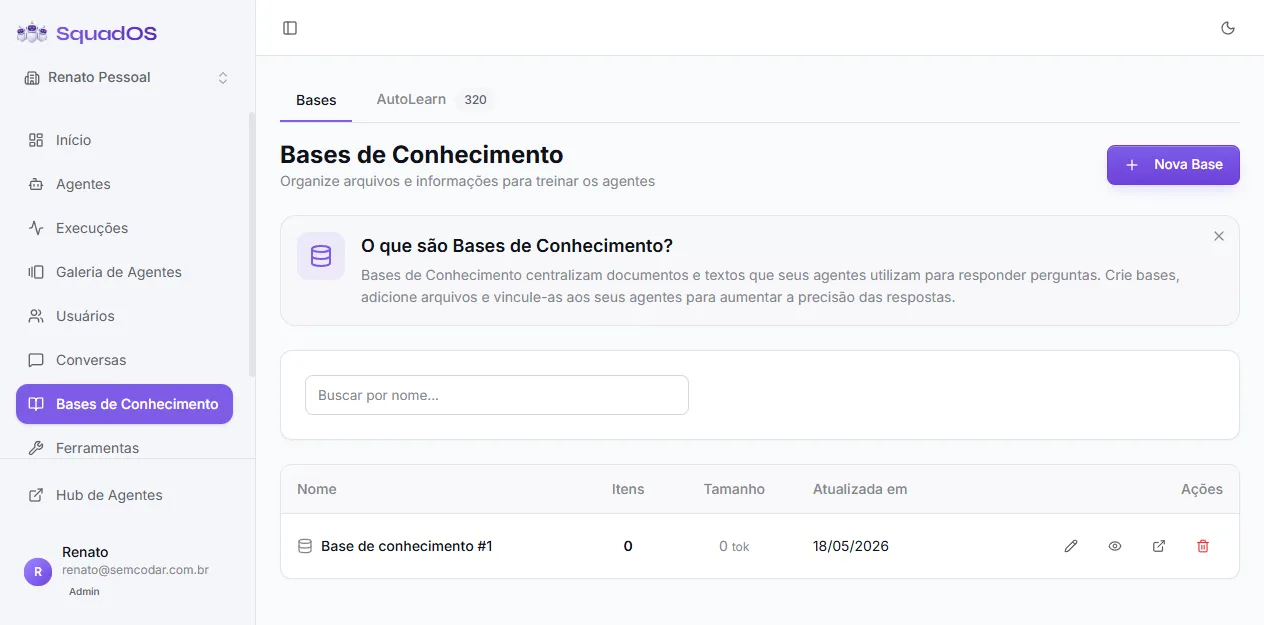
The screen has two tabs at the top:
- Bases — every base in the organization (this screen).
- AutoLearn — questions the agent could not answer. See Learning Opportunities (AutoLearn).
Each row shows Name, number of Items, Size (in tokens), and the last update. Row actions let you edit, view details, open the items, and delete.
How it works (RAG)
Section titled “How it works (RAG)”When you add items (text or file) to a base, SquadOS splits the content into pieces (chunks), generates vector embeddings, and stores them in an index. During a conversation, the agent queries that index and retrieves only the snippets relevant to the question — it does not need to carry the whole base in the prompt.
This pattern is known as RAG (Retrieval-Augmented Generation).
Creating a base
Section titled “Creating a base”Click + New Base. The base is created with a generic name (e.g. “Base de conhecimento #1”) and you are taken directly to the items screen, where you can rename the title and description by clicking on them.
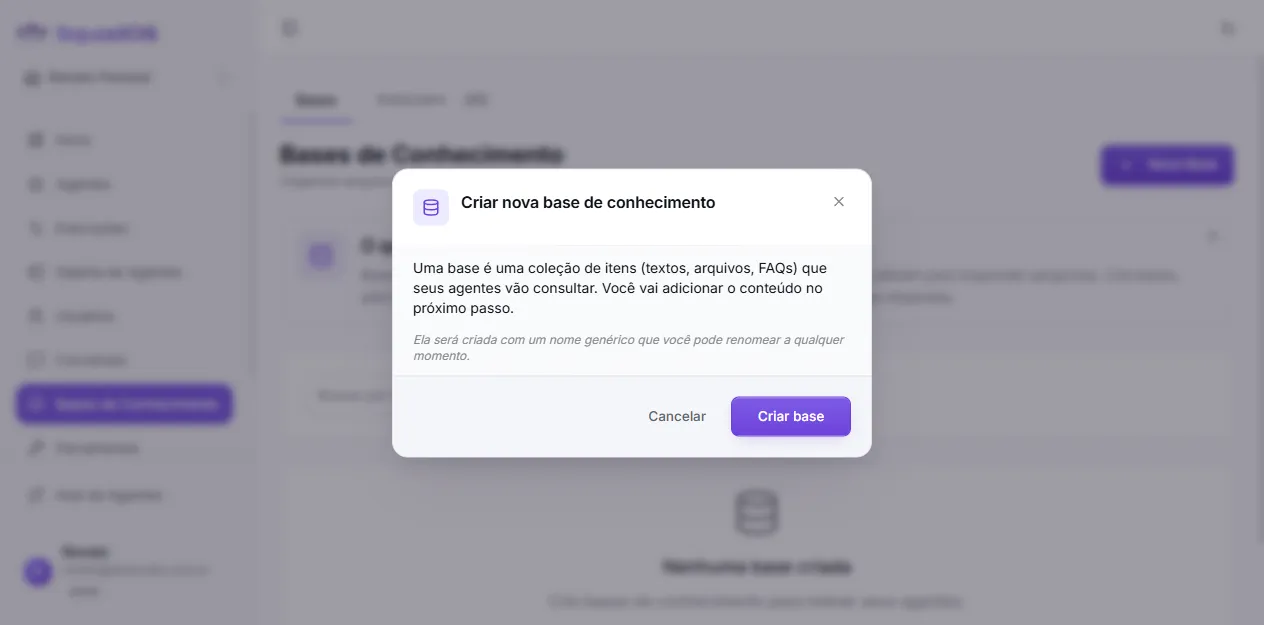
There are no name or description fields at creation time — the focus is to start adding content right away. The name is edited later on the base’s own page.
When to use it
Section titled “When to use it”Use a knowledge base when the agent needs to answer about:
- products, plans, and commercial rules;
- internal processes;
- support policies;
- technical documents;
- information that changes often;
- content that is too large for the prompt.
Base vs. prompt
Section titled “Base vs. prompt”- Use the prompt for behavior and tone rules.
- Use the knowledge base for searchable content.
Example:
- Prompt: “Answer objectively and never invent policies.”
- Base: refund policy, terms of use, FAQs, and operating guides.
Connecting to an agent
Section titled “Connecting to an agent”Creating the base is not enough. For the agent to use the content, add the native Search Knowledge Base tool on the agent’s Tools tab and check the bases you want. See Connecting to Agents.