
Agent Gallery
The Agent Gallery is a repository of ready-to-use agent templates. Instead of starting from scratch, import a tested template, adjust what you need, and publish.
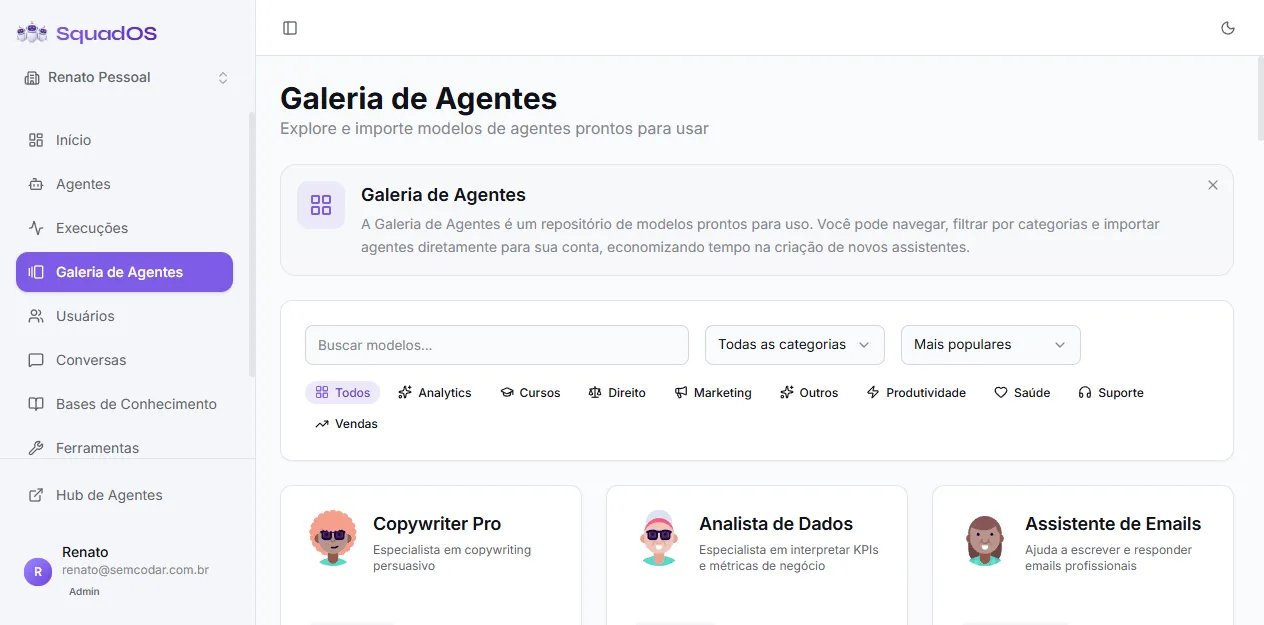
What you find
Section titled “What you find”Each gallery agent brings:
- name and short description;
- avatar and category (Analytics, Courses, Law, Marketing, Others, Productivity, Health, Support, Sales);
- complete pre-written prompt;
- suggested model;
- import count (popularity indicator).
How to browse
Section titled “How to browse”- In the side menu, open Agent Gallery.
- Use search to filter by name or description.
- Use category tabs (All / Analytics / Courses / Law / Marketing / Others / Productivity / Health / Support / Sales) to narrow by area.
- Sort by Most popular, Most recent, or Name A-Z in the filter bar’s right corner.
- Click an agent card to open the detail with the full prompt before importing.
Importing an agent
Section titled “Importing an agent”- On the card or detail, click Import.
- (Optional) Choose a category from your organization for the imported agent.
- Confirm.
What happens:
- a new agent is created in your organization with name, description, avatar, prompt, and model from the template;
- starts with temperature 1.0, 10-message history, and active;
- no trigger or channel is enabled — you decide later;
- the template’s import counter is incremented.
After importing
Section titled “After importing”The imported agent is yours — edit freely:
- Go to Agents and open the freshly imported agent.
- Adjust the prompt for your company’s tone and context.
- Connect tools that make sense (knowledge bases, integrations, transfers).
- Configure triggers to publish on the desired channels.
- Test with real questions before publishing.
Gallery templates are a starting point — always worth reviewing the prompt, giving examples specific to your business, and adjusting tone.