
Tools
Tools expand what an agent can do. Instead of only answering text, it can query knowledge bases, call APIs, generate images, transfer the conversation to another agent, or hand off to a human.
Types of tools
Section titled “Types of tools”SquadOS works with three main groups:
- Native tools: features built into SquadOS — knowledge base lookup, image generation, HTML to image, transfer to agent, human handoff, conversation notes, AutoLearn, AutoPrompt, date/time. See the full list in Native Tools — Overview.
- Custom HTTP tools: REST calls configured at the organization or agent level. See Custom HTTP Tools.
- External integrations (Composio): ready-made connectors for Gmail, Slack, Google Sheets, Notion, and hundreds of others. See Tools and other section guides.
Tools tab
Section titled “Tools tab”In the agent editor’s Tools tab, you see every tool connected to the agent with status indicator (green = ready, yellow = needs configuration).
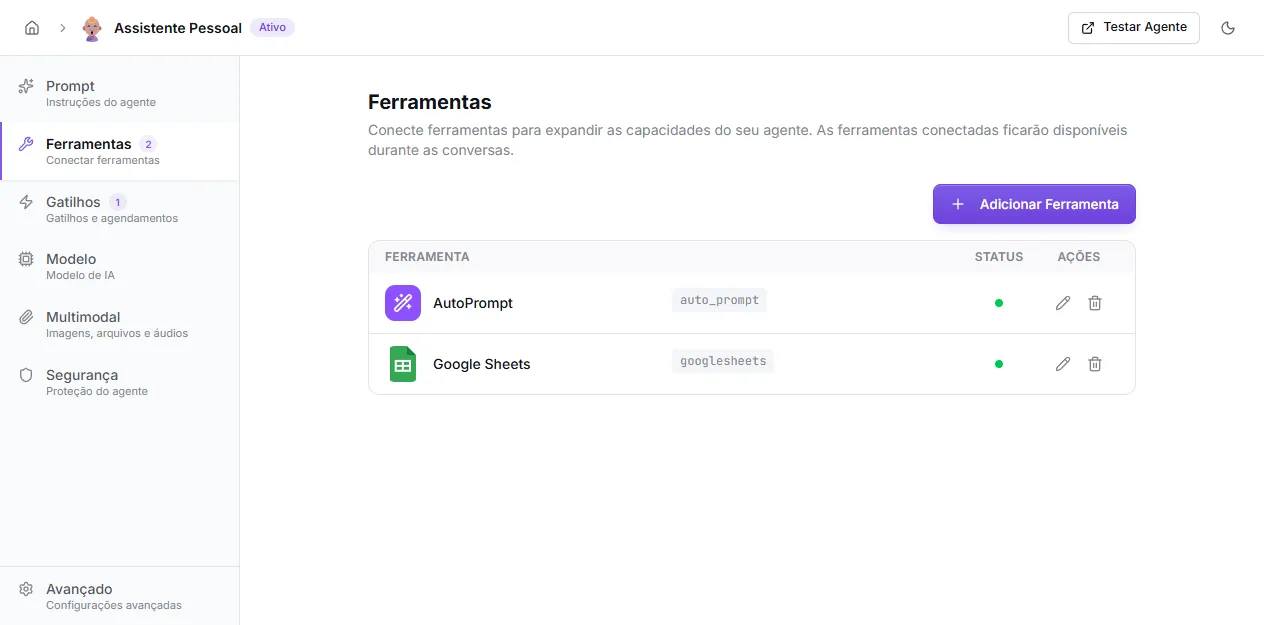
Each row shows:
- icon and tool name;
- technical identifier (the name the AI uses);
- current status;
- edit and remove actions.
Adding a tool
Section titled “Adding a tool”Click + Add Tool. The screen opens with two sections:
- Native Tools — lists native tools not yet active on this agent.
- Other Tools — Composio integrations and organization-level custom HTTP tools. If none are available, the Enable tools in Admin link takes you to
/admin/tools.
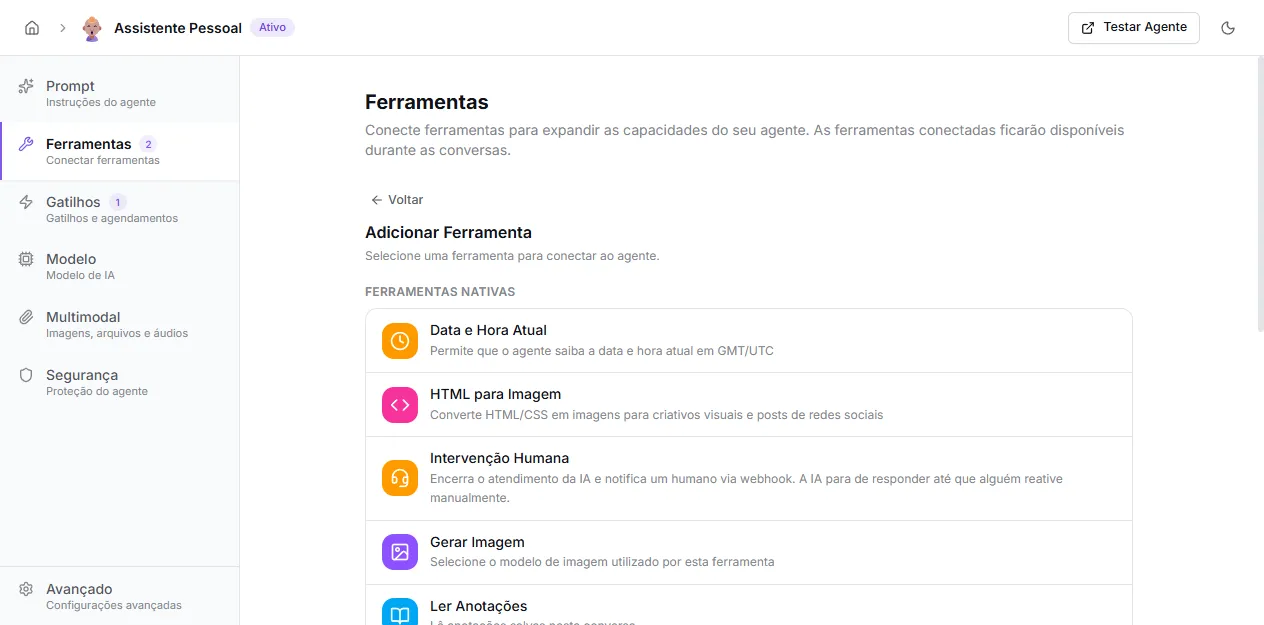
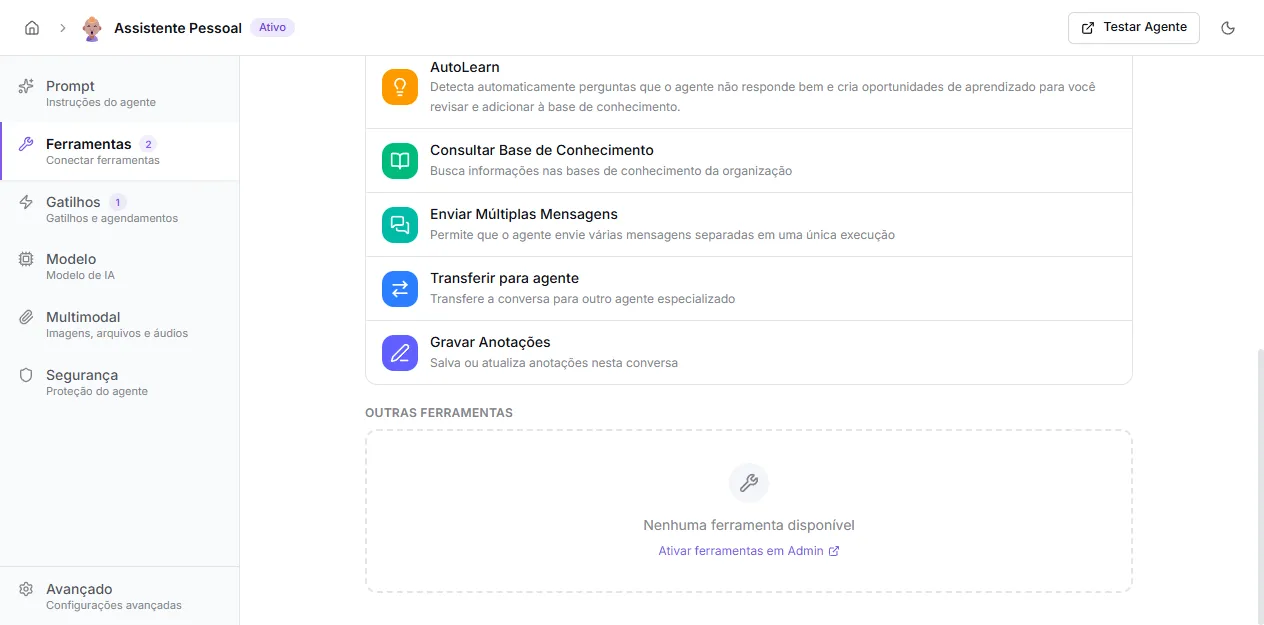
Click the desired tool. If it has configuration (webhook URL, image model, knowledge bases, etc.), an inline form opens. If not (e.g., Current Date and Time), it activates with one click and is available immediately.
How the AI decides to use a tool
Section titled “How the AI decides to use a tool”The AI mainly considers:
- the tool description (set on the tool itself);
- parameter descriptions;
- the agent’s prompt instructions;
- the user’s question;
- conversation history.
Clear descriptions are essential. Say what the tool does, when to use it, and which data is mandatory.
Best practices
Section titled “Best practices”- Connect only tools the agent really needs — each active tool consumes context and can confuse the model.
- Prefer specific tools over overly generic ones.
- Test each tool before publishing the agent.
- Use required parameters when the call can’t work without them.
- Guide the prompt so the agent asks before calling a tool without enough data.
Security
Section titled “Security”Secrets and tokens are stored encrypted on the server. The AI receives only the tool definition and allowed parameters, never the credentials.