
Native Tools — Overview
Native tools are features built into SquadOS that you can enable on any agent without configuring external credentials, third-party accounts, or endpoints. They work right away: you enable, save (when configuration is required), and the agent can use them.
Where to enable
Section titled “Where to enable”In the agent’s Tools tab, click + Add Tool. The screen opens with two sections:
- NATIVE TOOLS — lists the native tools not yet active on this agent.
- OTHER TOOLS — Composio integrations and organization-level custom HTTP tools.
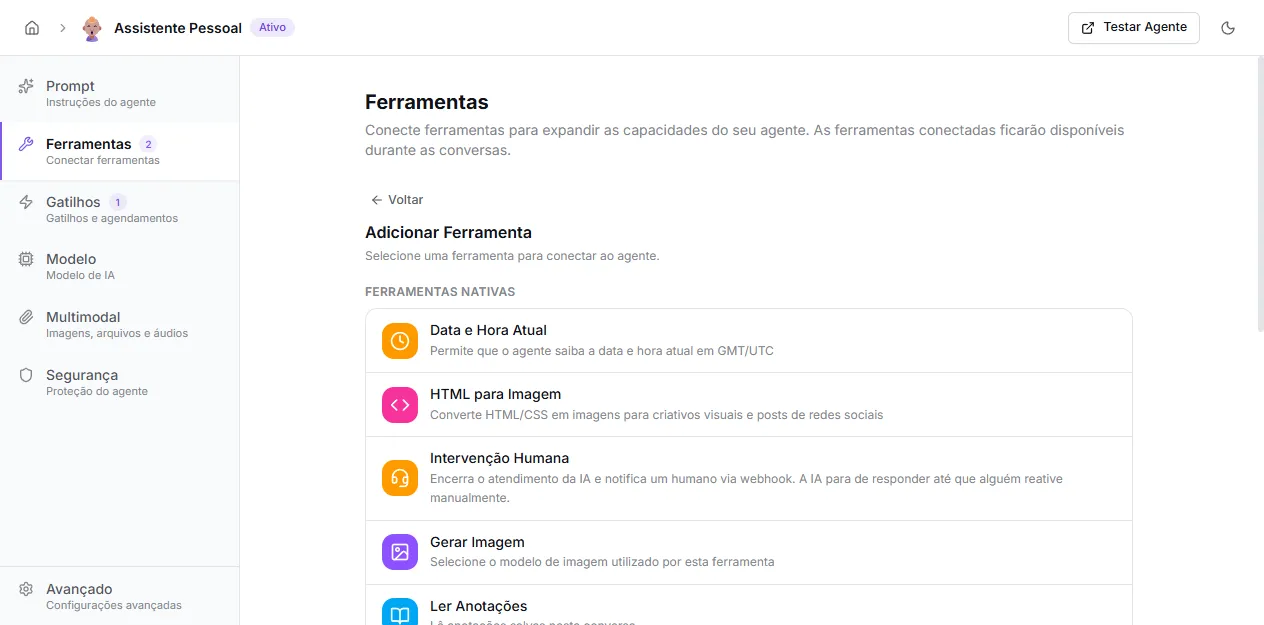
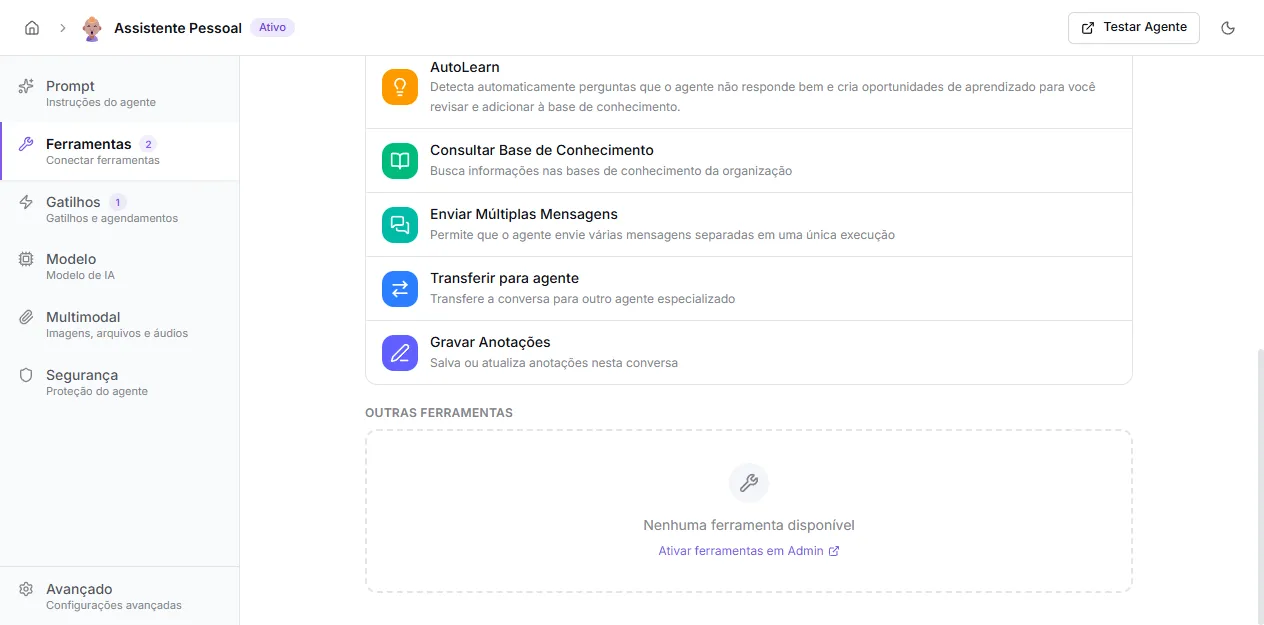
Click the desired tool. Some activate directly (no configuration); others open an inline form to configure.
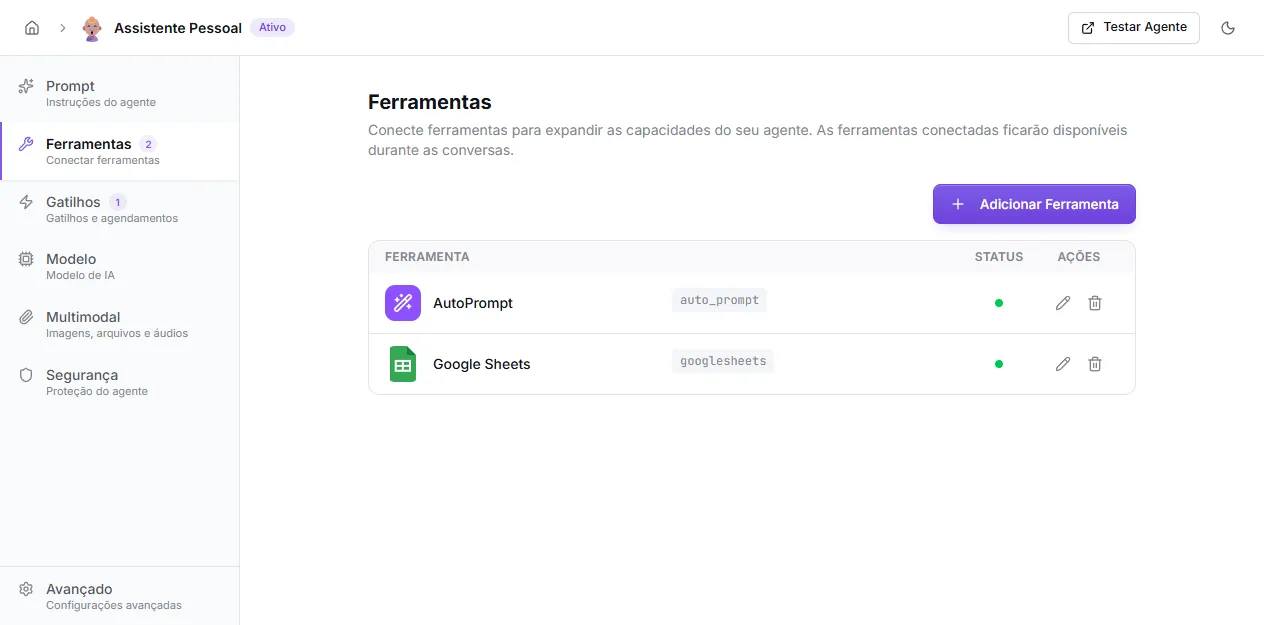
Once active, the tool appears in the Tools tab list with a green indicator (ready) or yellow (needs configuration).
Native tools vs. external tools
Section titled “Native tools vs. external tools”The distinction matters because configuration effort differs greatly.
- Native tools (this group): code embedded in the platform. Most have no configuration — you just enable. Some require minor setup (pick an image model, webhook URL, knowledge bases). They don’t consume extra credits beyond normal agent usage, except when noted (e.g., image generation uses the org’s active image model).
- Composio tools: integrations with third-party services (Gmail, Slack, Notion, etc.). Require connecting an OAuth account or API key and choosing which actions to enable. Configured under Tools in the side menu.
- Custom HTTP tools: REST calls you define yourself. See Custom HTTP Tools.
List of native tools
Section titled “List of native tools”| Tool | What it does |
|---|---|
| Current Date and Time | Returns current date and time in GMT/UTC. |
| HTML to Image | Renders HTML/CSS to an image (creatives, posts, cards). |
| Human Handoff | Disables AI in the conversation and fires a webhook for a human to take over. |
| Generate Image | Creates images from a text prompt. |
| Read Notes | Reads notes saved in the current conversation. |
| AutoLearn | Automatically logs questions the agent couldn’t answer well. |
| Query Knowledge Base | Performs semantic search across the organization’s knowledge bases. |
| Send Multiple Messages | Lets the agent break the response into several separate messages. |
| Transfer to Agent | Hands the conversation to another specialized agent in the same organization. |
| Write Notes | Saves or updates notes in the current conversation. |
| AutoPrompt | Lets the agent edit its own prompt during conversation (sandbox mode). |
| HTTP Call | Internal infrastructure for custom HTTP tools — configured via its own flow. |
How the agent decides which to call
Section titled “How the agent decides which to call”For every active tool, the agent receives:
- the tool’s name and description;
- the parameter list and what each one means;
- the agent’s prompt (your instructions).
From there, the model decides on its own when calling each tool makes sense. You shape this behavior mainly through the agent’s prompt: if you write “use tool X when the user asks Y”, the model follows.
Best practices:
- Enable only what the agent really needs — every active tool consumes context and can confuse the model.
- Describe in the prompt the use cases of less obvious tools.
- Test in a real conversation after enabling a new tool.
Model requirements
Section titled “Model requirements”All native tools depend on the agent’s chosen model supporting tool calls (function calling). Most modern models (GPT-5 family, Claude 4.x, Gemini 2.x and 3.x, Llama 3.1+) do. If you pick a model without tool support, tools become invisible to it.