
Guardrails
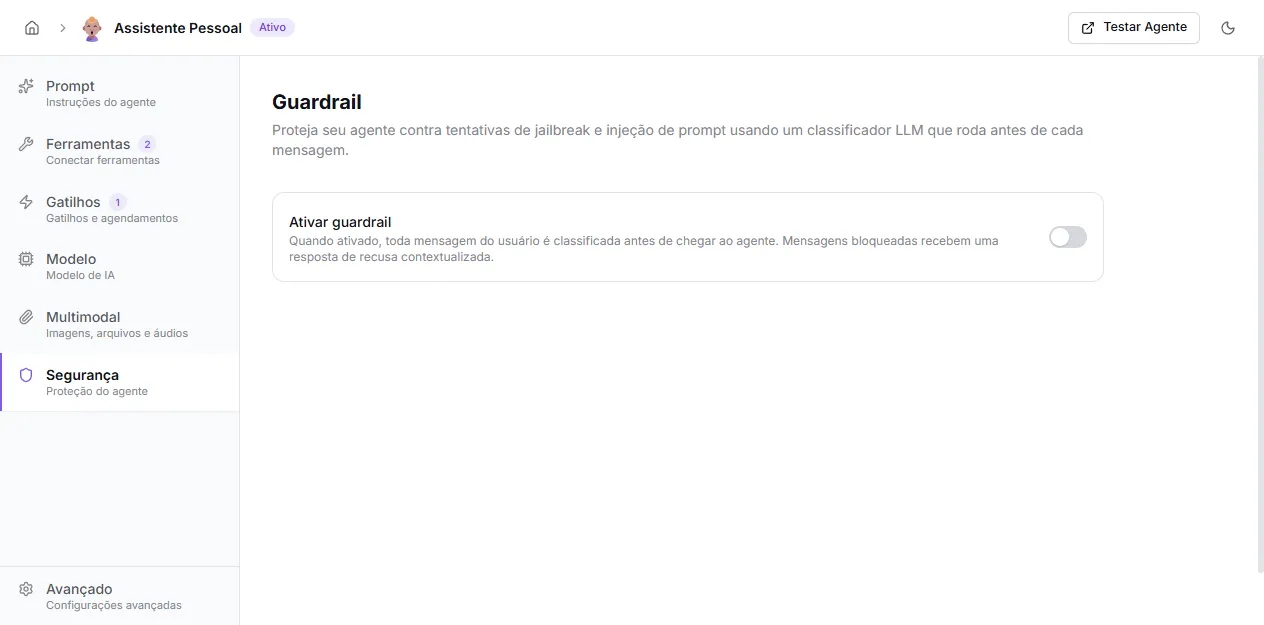
The Guardrail is an LLM classifier that runs before each user message reaches the agent. If the message is classified as abuse (jailbreak, prompt injection, instruction extraction, or some custom rule of yours), it is blocked and the user receives a contextualized refusal.
When to use
Section titled “When to use”Enable the guardrail whenever the agent:
- serves an external audience (public chat, WhatsApp, Telegram);
- has sensitive instructions in the prompt;
- needs to stay within a well-defined scope (technical support, sales, legal).
For internal agents used only by the organization’s team, it’s usually not necessary.
How it works
Section titled “How it works”For each incoming message:
- The classifier (a separate LLM, usually cheap) receives the user content.
- Decides whether the message should be blocked based on the base prompt + your custom rules.
- If it passes, follows the normal flow to the agent.
- If blocked, the agent does not receive the message; instead, a refusal response is generated using the block context to sound natural and aligned with the agent’s purpose.
Base prompt
Section titled “Base prompt”The base prompt is fixed, maintained by the platform, and visible read-only on the screen itself. It covers four categories:
- Jailbreak attempt — attempts to ignore or override the agent’s instructions.
- Prompt injection — instructions embedded in user messages trying to alter behavior.
- Role manipulation — requests for the agent to take on an unconstrained persona.
- Instruction extraction — attempts to extract the system prompt.
Normal questions, even on sensitive topics, are not blocked. The default rule is “when in doubt, let it pass”.
Block context
Section titled “Block context”A short summary of the agent’s purpose, generated automatically from the prompt when you enable the guardrail. You can edit it or click Regenerate to create it again.
This context is used so the refusal response sounds consistent with the agent — instead of a generic “I can’t help”, the user gets something like “I’m a TechCorp support assistant, I can’t help with that, but I can answer questions about our products”.
Custom rules
Section titled “Custom rules”Add extra rules beyond jailbreak detection. Examples:
- block questions about competitors;
- don’t answer about specific prices or discounts;
- block requests for internal company data;
- refuse legal or medical advice.
Write one rule per line, in clear language. The classifier uses these rules as additional criteria.
Recommendations
Section titled “Recommendations”- Use a cheap model as classifier. Each user message adds an extra call; keeping cost low here matters at high volume.
- Review the block context after changing the main prompt — click Regenerate to align.
- Start without custom rules. Only add when the agent blocks too little (or too much) in real cases.
- Combine with safety instructions in the prompt itself — clear instructions in the system prompt are the first line of defense; the guardrail is the safety net.
Where to configure
Section titled “Where to configure”Open the agent under Agents, click Security in the sidebar, enable the Enable guardrail switch and review the options. Changes persist automatically.