
Configuring the Organization
Organization settings live in Settings in the admin panel side menu (/admin/settings). The screen has four tabs:
- Subscription — current plan, credit balance, agents/users/conversations counts
- Customization — platform identity (name, logo, language)
- AI Models — OpenRouter key and available models
- API — REST tokens to integrate external systems
This guide focuses on Customization, the most common first-day tweak.
Customization
Section titled “Customization”Open Settings → Customization:
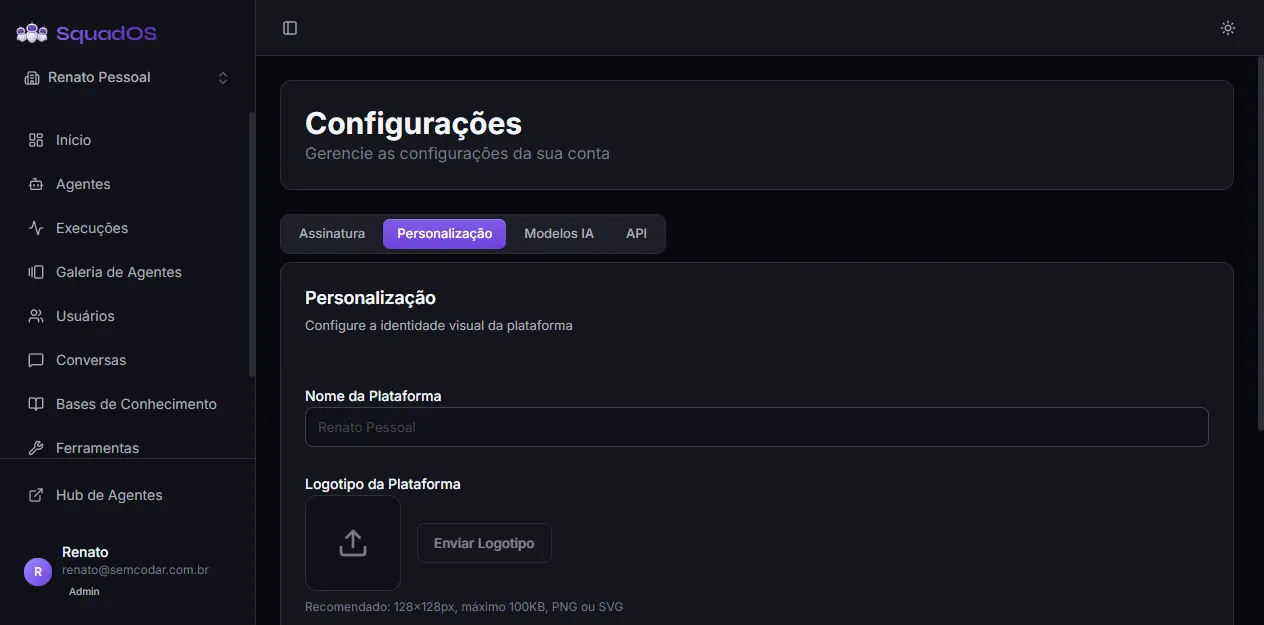
Fields available:
- Platform Name — replaces “SquadOS” in some screens and in emails sent by the organization.
- Platform Logo — PNG/JPG/WebP/SVG, max 100 KB, recommended 128×128 px.
- Hide SquadOS logo in menu — when on, only your company’s logo and name show up in the sidebar.
- Organization language — Portuguese (Brazil) or English. Defines the language of emails sent by the platform.
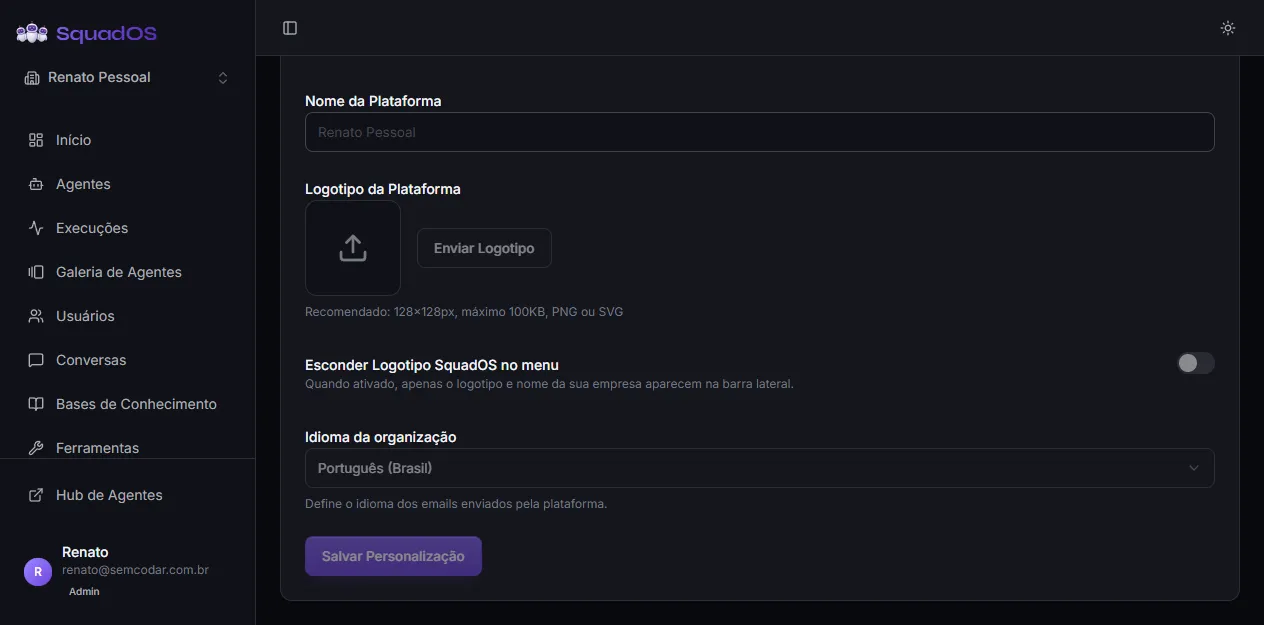
After changing any field, click Save Customization at the bottom of the card.
Important: Name and logo are editable only by the organization Owner. Regular admins see the fields disabled with a tooltip explaining why.
Other tabs
Section titled “Other tabs”- Subscription shows the current plan and offers Change Plan (which leads to
/admin/pricing). - AI Models lets you connect your own OpenRouter key — with your own key, cost becomes 1 fixed credit per message instead of proportional usage. Detailed in Models.
- API lets you generate tokens to talk to agents via REST. Detailed in REST API and Tokens.
Next step
Section titled “Next step”With the organization configured, invite the right users in Users and create your first agent — see First Complete Agent.