
Plan and Credits
Everything related to billing and consumption lives in the Subscription tab of the Settings page (/admin/settings?tab=subscription).
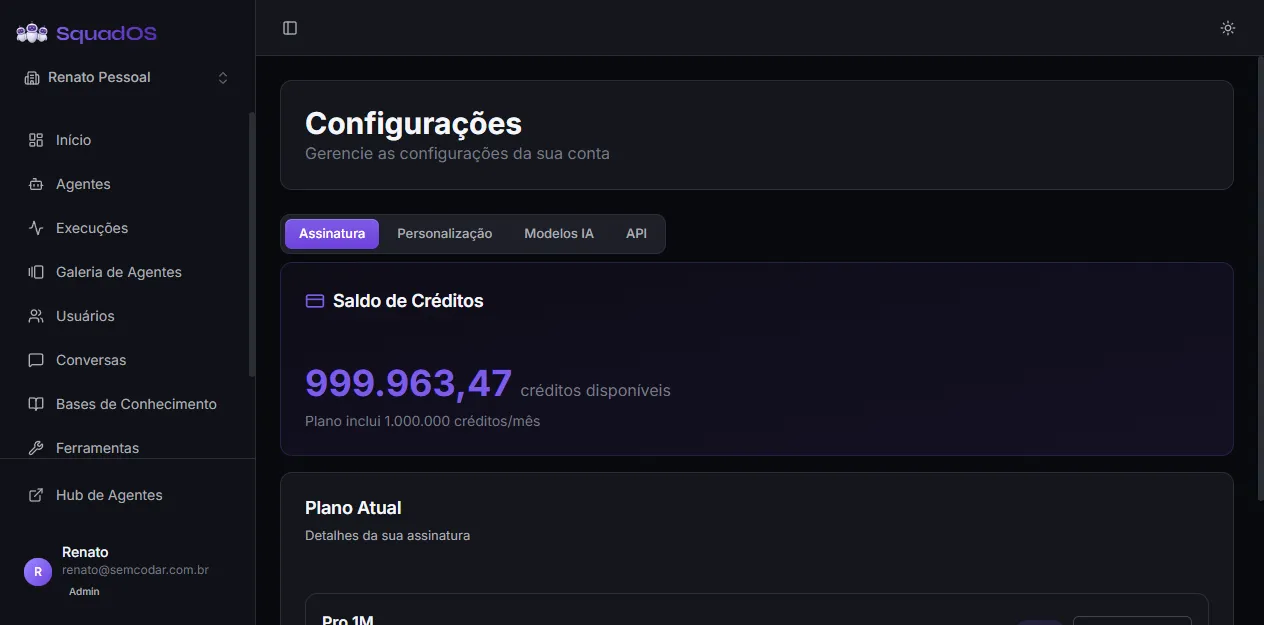
What you see on the tab
Section titled “What you see on the tab”- Credit Balance (purple highlighted card): current balance updated in real time, with the note
Plan includes N credits/monthright below. - Current Plan: plan name (e.g. Free, Pro), green Active badge, and the Change Plan button (opens the pricing page at
/admin/pricing). - Plan counters: current Agents, Users, and Conversations in the organization.
Use this tab to check balance before heavy-usage campaigns or before publishing a new agent that will draw a lot of traffic.
How credits are spent
Section titled “How credits are spent”Every message an agent replies to consumes credits. How much each message costs depends on several factors:
- Model picked by the agent (advanced models cost more per token);
- Size of the system prompt (sent on every call);
- History size included in the call (controlled by the history limit in the agent’s Advanced Settings);
- Use of knowledge bases (each retrieved chunk enters the context);
- Tools called (each call triggers an extra LLM round);
- Image generation (billed separately, per image);
- Response size (controlled by the max response limit).
To investigate consumption, go to Analytics → Credits tab — there you can filter by agent, channel, and period to find where the spend is coming from.
Change plan
Section titled “Change plan”The Change Plan button takes you to the pricing page inside the admin panel. Before switching, evaluate:
- conversation volume in the last 30 days;
- number of active users;
- channels required (WhatsApp, Telegram, API);
- support requirements (higher-tier plans have tighter SLAs).
Connecting your own OpenRouter API key
Section titled “Connecting your own OpenRouter API key”There is also an alternative billing path: in Settings → AI Models tab, you can connect your own OpenRouter API key. When configured, LLM token billing goes straight to your OpenRouter account, and SquadOS only charges 1 credit per message as an orchestration fee. See Organization Settings for details.
Best practices
Section titled “Best practices”- Monitor consumption after publishing new agents — usage spikes show up in the first 24h.
- Test cheaper models for simple tasks (input validation, classification, etc.) and reserve the expensive ones for complex reasoning.
- Avoid excessive history when the agent does not need it — every extra turn means more tokens on every call.
- Investigate usage spikes in Analytics → Credits, especially when a tool starts failing and the agent enters a loop.
- Review credit balance whenever you make big changes (new channel, new base, default-model swap).